WORDPRESS PLUGIN

Interpost

Suggests internal links as you write, matching posts by what they are about rather than the words they share.

Live FREE ON WORDPRESS.ORG · PRO $79/YR
Read the docs

Checkout opens soon.

WHAT IT DOES

Links your posts by meaning, not by matching words.
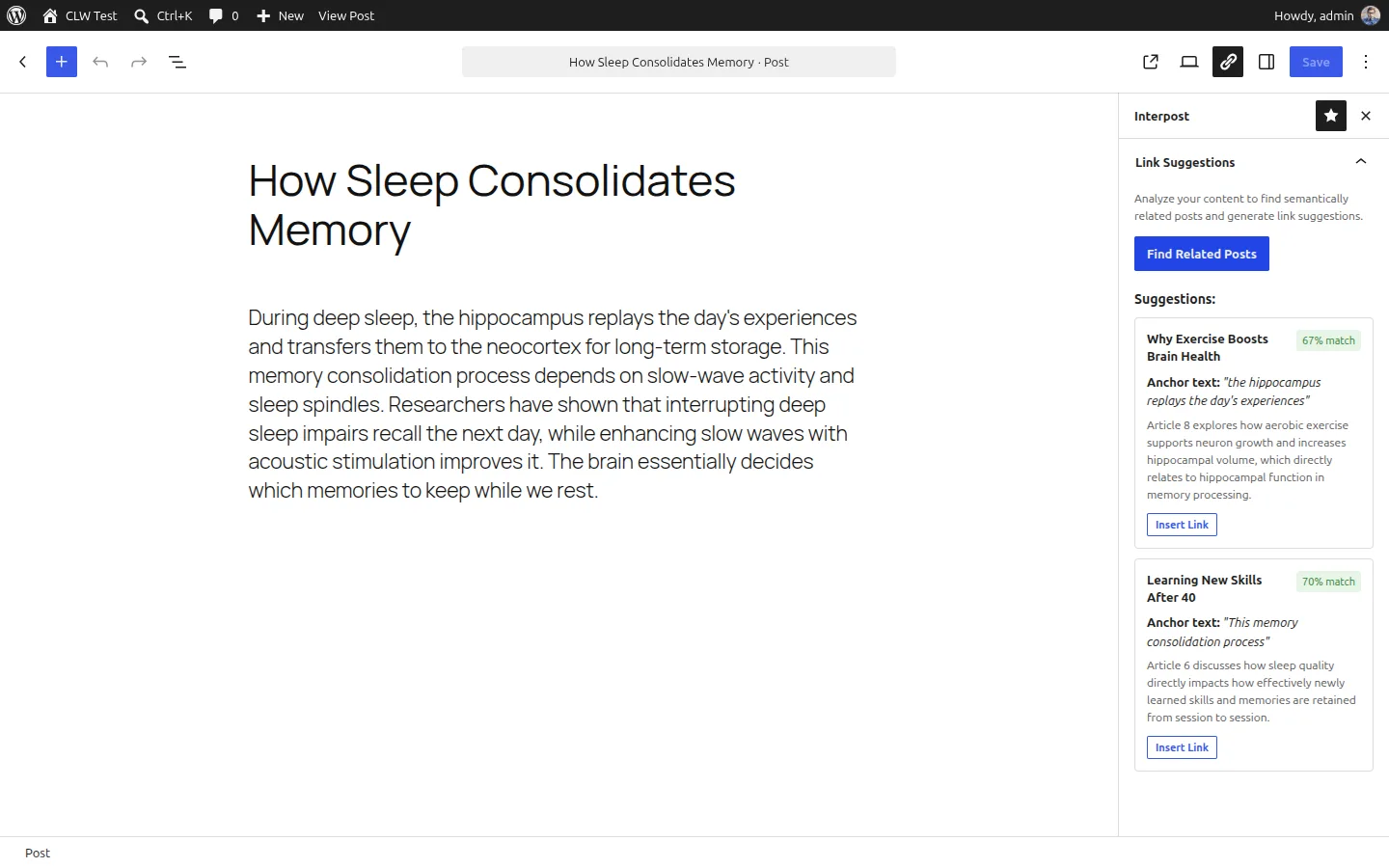
Interpost in the WordPress editor
The WordPress editor with the Interpost panel open, listing suggested posts to link to with a match score and the anchor text for each

Meaning, not keywords

Interpost compares what your posts are about, not the words in them. A draft on learning a new skill at forty can link to a post on how the adult brain rewires, with no word in common.

Anchor text you already wrote

It picks phrases of four to six words that appear in your draft word for word, so the link reads as part of the sentence instead of something bolted on.

Suggestions, not edits

Nothing changes until you click. Each suggestion shows the post, how close a match it is, and the anchor text it would use.

Your own API key

You add your own key, so the AI provider bills you directly. There are no credit packs to buy and no usage limits set by the plugin.

How it works

  1. STEP 1

    Index your posts

    Every published post gets a numeric fingerprint of its meaning, stored in a table in your own database. New posts are added as you publish, and you can index the whole site in one run.

  2. STEP 2

    Write

    Open a post in the block editor and click Find Related Posts in the Interpost panel.

  3. STEP 3

    Get suggestions

    Your draft is compared against the index, and the fifteen closest posts go to Gemini, which picks the anchor text.

  4. STEP 4

    Insert

    One click puts the link in at the phrase it suggested.

What Interpost sends to Gemini

Interpost currently supports only Google Gemini. Two things go to it. When a post is indexed, its title and the first 2,000 words of its text, with the HTML stripped. When you ask for suggestions, the draft you are editing, then the titles, addresses and excerpts of the fifteen posts closest to it.

Nothing else leaves your site: not your settings, not your users, and nothing about your visitors. Nothing is sent at all until you enter a key.

The call goes from your site to your own Gemini account, under your own key. It never passes through Logic Void, and what Google does with it is covered by their API terms. Read those before you add your key.
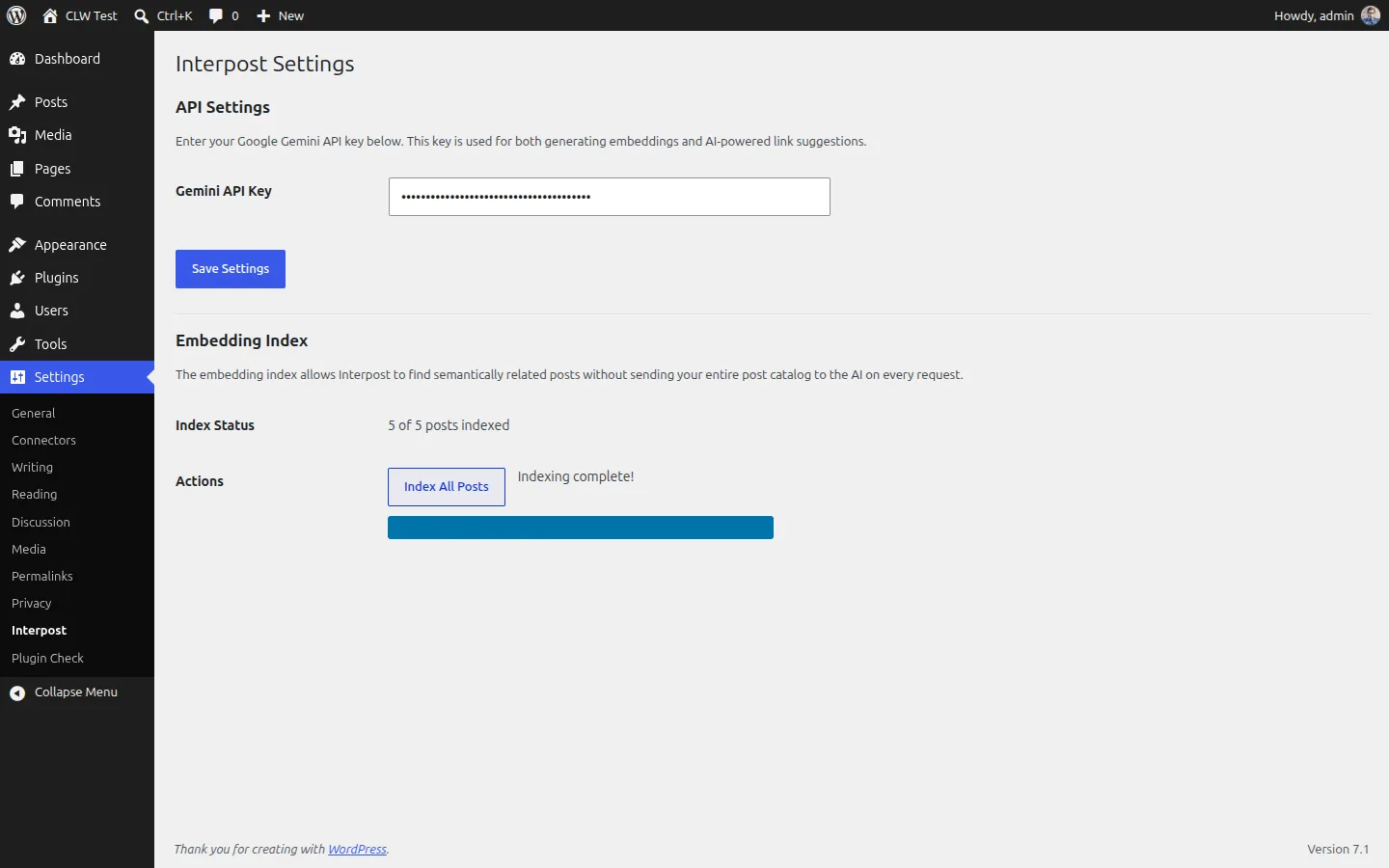
The Interpost settings screen in WordPress, with the field for your own Gemini API key and the embedding index status

PRICE

Free for one post at a time. Pro for the whole site.

Two plugins. The free one comes from WordPress.org. Pro installs alongside it and adds the site-wide features.

FREE

$0 and it stays free

FROM WORDPRESS.ORG

Everything you need to link the post you are writing, on as many sites as you like.

  • An index of your published posts, built in your own database
  • Indexing as you publish, or the whole site in one run
  • Related posts for the draft you are editing
  • Anchor text of four to six words, taken from your draft
  • Insert a suggested link in one click
  • Your own Gemini API key
  • Community support on the WordPress.org forums

The WordPress.org listing is under review.

PRO

$79 a year, one site

FROM LOGICVOID.DEV

Covers the whole site in one run, with rules for what gets included.

  • Scan the whole site in one run
  • Custom post types and taxonomies
  • Orphan report: what has no links pointing to it
  • Include and exclude rules by category, tag and type
  • Link inventory, and undo in bulk
  • Scheduled re-scans as content changes
  • Choice of Gemini model
  • Support by email, and a year of updates

Checkout opens soon.

More sites

1 site $79/yr
5 sites $99/yr
20 sites $179/yr

Renewals are the same price, every year.

Before you buy

  • Prices are in US dollars. Tax is added at checkout where it applies, and the total is shown before you pay.
  • Interpost needs your own AI provider key. Your provider bills you separately, at their rates, and that cost is not included here.
  • Pro is a second plugin. It installs alongside the free Interpost from WordPress.org, which has to stay active.
  • A licence covers one site unless you buy a larger tier. It runs for a year and renews automatically until you stop it.
  • When a licence expires the plugin keeps working. Updates and support stop.
  • Paddle handles your order. Paddle is the seller and charges your card.
WordPress
6.9 or newer
PHP
8.3 or newer
Editor
the block editor, not Classic
Indexes
published posts
AI providers
Google Gemini
Licence covers
updates and support
The free support forum opens when the plugin is listed on WordPress.org. Pro support →

TERMS

No kill switches. No usage limits. Nothing locked in.

Install a plugin, or ask a question.

Plugins install in a couple of minutes. Support goes to one place.